
Nexus CLI (recommended)
Automate VS Code setup with
nexus vscode, which writes chatLanguageModels.json, stores your API key, and registers the preferred model catalog (v0.9.0+)Fireworks offers 200+ models. Copy the model
id and token limits from the Model Library. Use endpoint URL https://api.fireworks.ai/inference/v1.Prerequisites
- A Fireworks API key
- GitHub Copilot with access to Other Models and Custom Endpoint (availability depends on your Copilot plan)
Setup
1
Open model settings
In Copilot Chat, click the active model name at the bottom (often Auto). In the menu, click the gear icon next to Other Models.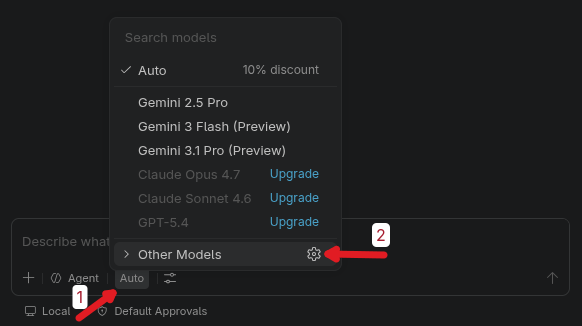
2
Add a custom endpoint
In Language Models, click + Add Models… in the top right, then choose Custom Endpoint.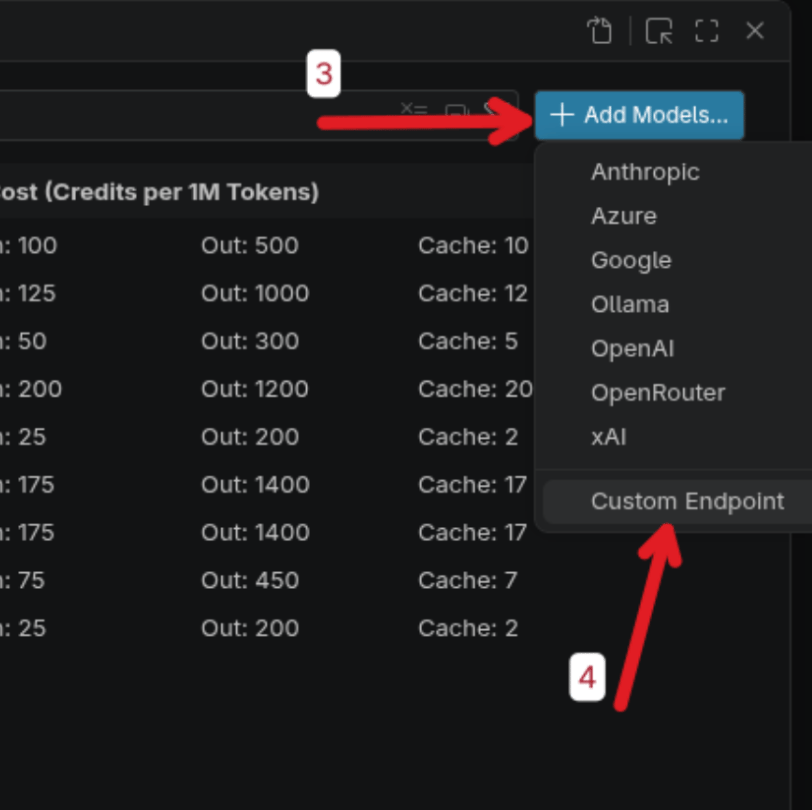
3
Name the endpoint group
Enter Fireworks AI as the group name and press Enter.
4
Enter your API key
Paste your Fireworks API key (hidden by default) and press Enter to confirm.
5
Choose Responses API
When asked for the default request/response format, select Responses API.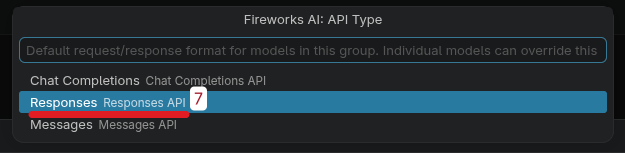
6
Configure the model template
A configuration file opens. Do not change the auto-generated header at the top. Only fill in the model template below it.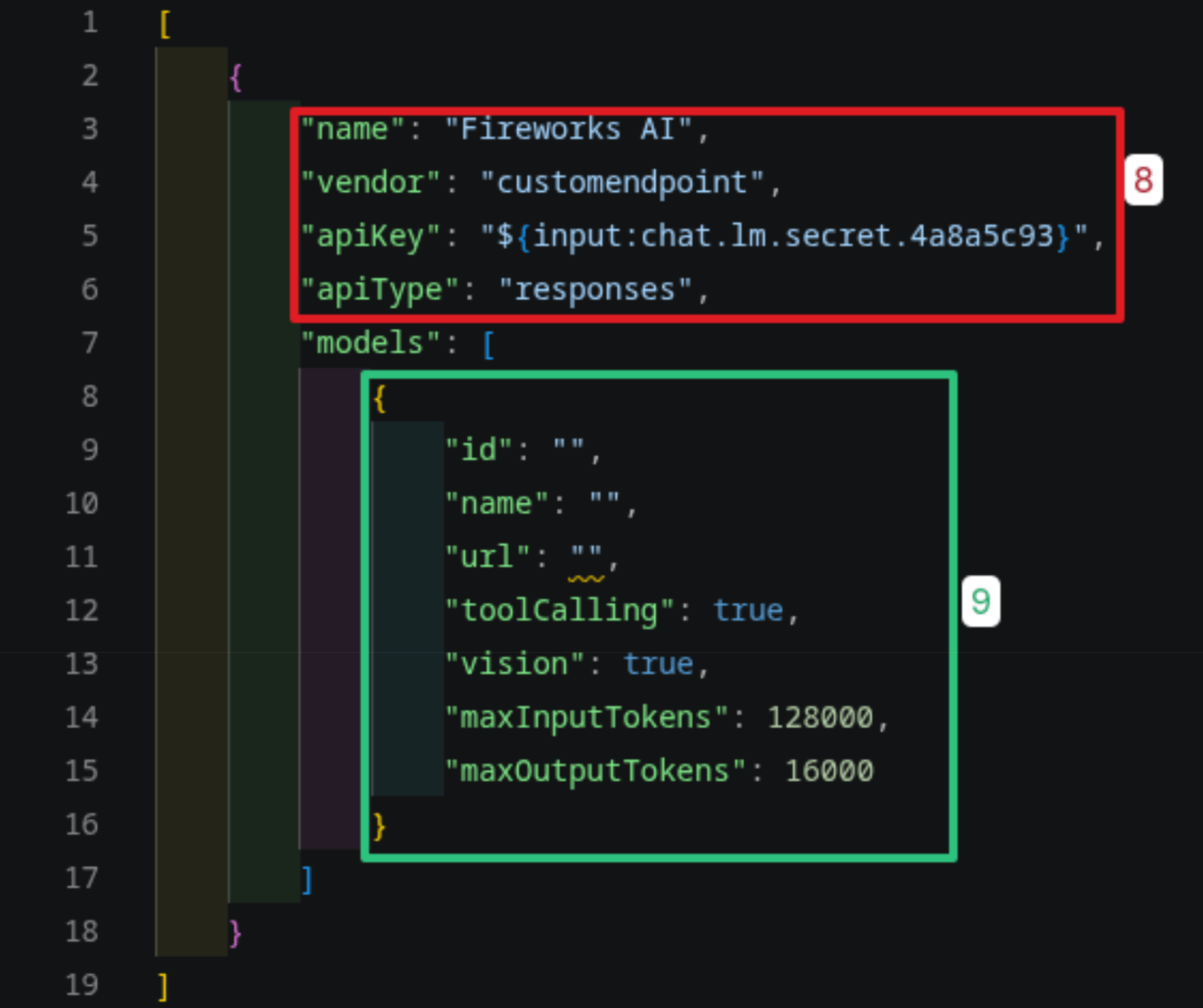
7
Add model details and save
Fill in your model fields, then save (Ctrl+S on Windows/Linux, Cmd+S on macOS) and close the settings modal.Example for DeepSeek V4 Pro: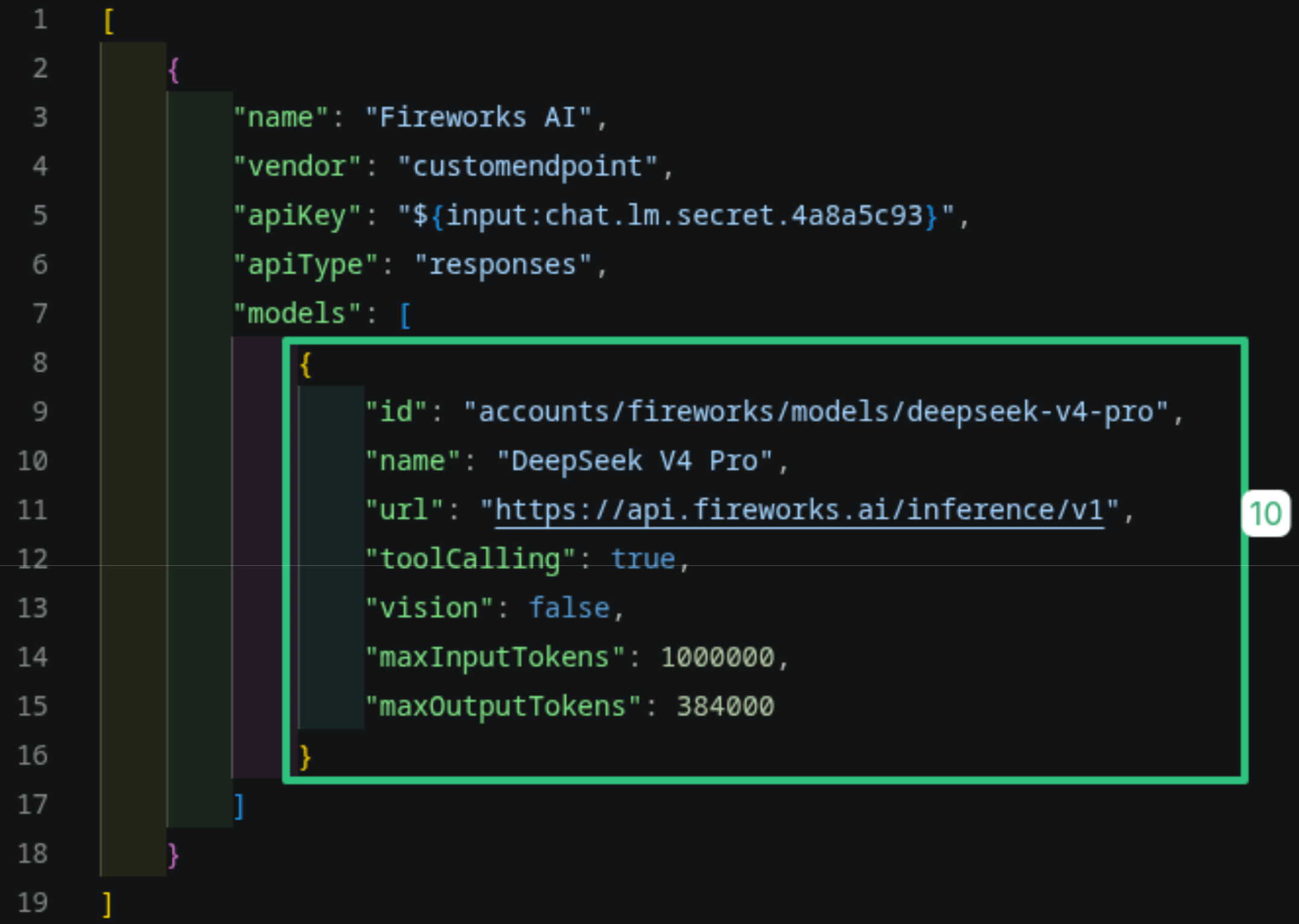
8
Select your model in chat
Return to Copilot Chat, open the model picker (Auto), expand Other Models, and choose your model under Fireworks AI.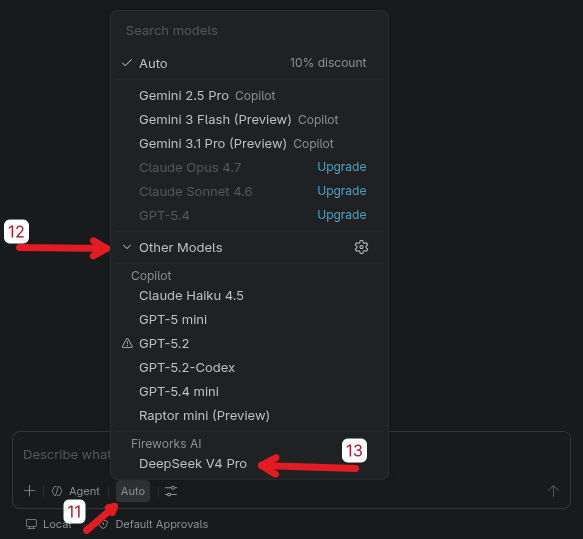
Related
- Nexus CLI for VS Code: automate custom-endpoint setup from the terminal
- Nexus CLI overview: install once, route multiple harnesses through Fireworks
- Claude Code: use Fireworks models with Claude Code
- Development Setup with Fireworks Docs MCP: add Fireworks docs to your coding agent