
Fine-tuning a model using SFT
Confirm model support for fine-tuning
You can confirm that a base model is available to fine-tune by looking for the And looking for
Tunnable tag in the model library or by using:Tunable: true.Some base models cannot be tuned on Fireworks (
Tunable: false) but still list support for LoRA (Supports Lora: true). This means that users can tune a LoRA for this base model on a separate platform and upload it to Fireworks for inference. Consult importing fine-tuned models for more information.Prepare a dataset
Datasets must be in JSONL format, where each line represents a complete JSON-formatted training example. Make sure your data conforms to the following restrictions:Here is an example conversation dataset with sample weights:We also support function calling dataset with a list of tools. An example would look like:For the subset of models that supports thinking (e.g. DeepSeek R1, GPT OSS models and Qwen3 thinking models), we also support fine tuning with thinking traces. If you wish to fine tune with thinking traces, the dataset could also include thinking traces for assistant turns. Though optional, ideally each assistant turn includes a thinking trace. For example:Note that when fine tuning with intermediate thinking traces, the number of total tuned tokens could exceed the number of total tokens in the dataset. This is because we unroll multi-turn conversations into multiple training examples to ensure train-inference consistency.During inference, a model’s thinking traces from previous turns are not visible in the conversation history — only the final This gets expanded into two training examples:Example 1 — tunes on the first assistant turn:Example 2 — tunes on the second assistant turn, with the first turn’s thinking trace stripped to match inference behavior:Because the conversation context is duplicated across these expanded examples, the total tuned token count will be larger than the raw dataset token count. The expansion grows with the number of assistant turns in each conversation: a conversation with N assistant turns produces N separate training examples.
- Minimum examples: 3
- Maximum examples: 3 million per dataset
- File format:
.jsonl - Message schema: Each training sample must include a messages array, where each message is an object with two fields:
role: one ofsystem,user, orassistant. A message with thesystemrole is optional, but if specified, it must be the first message of the conversationcontent: a string representing the message contentweight: optional key with value to be configured in either 0 or 1. message will be skipped if value is set to 0
- Sample weight: Optional key
weightat the root of the JSON object. It can be any floating point number (positive, negative, or 0) and is used as a loss multiplier for tokens in that sample. If used, this field must be present in all samples in the dataset.
content is retained. To match this behavior during training, we expand each multi-turn conversation into several single-turn training examples, where each example only tunes on one assistant turn and presents the conversation history exactly as it would appear at inference time (i.e., without previous thinking traces).For example, consider this two-turn dataset entry:Create and upload a dataset
There are a couple ways to upload the dataset to Fireworks platform for fine tuning: While all of the above approaches should work,
firectl, Restful API , builder SDK or UI.- UI
- firectl
- Restful API
-
You can simply navigate to the dataset tab, click
Create Datasetand follow the wizard.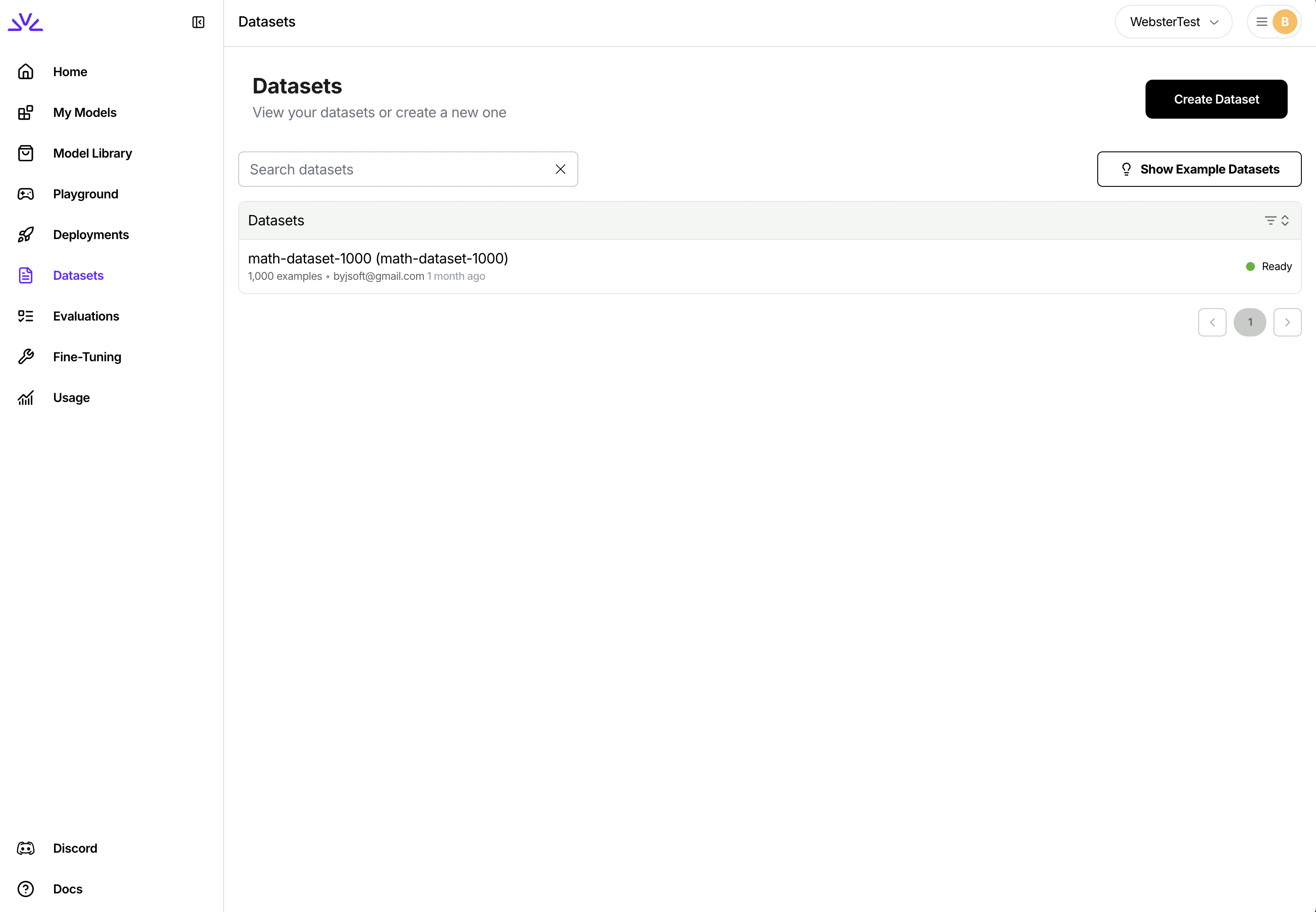
UI is more suitable for smaller datasets < 500MB while firectl might work better for bigger datasets.Ensure the dataset ID conforms to the resource id restrictions.Launch a fine-tuning job
There are also a couple ways to launch the fine-tuning jobs. We highly recommend creating supervised fine tuning jobs via With 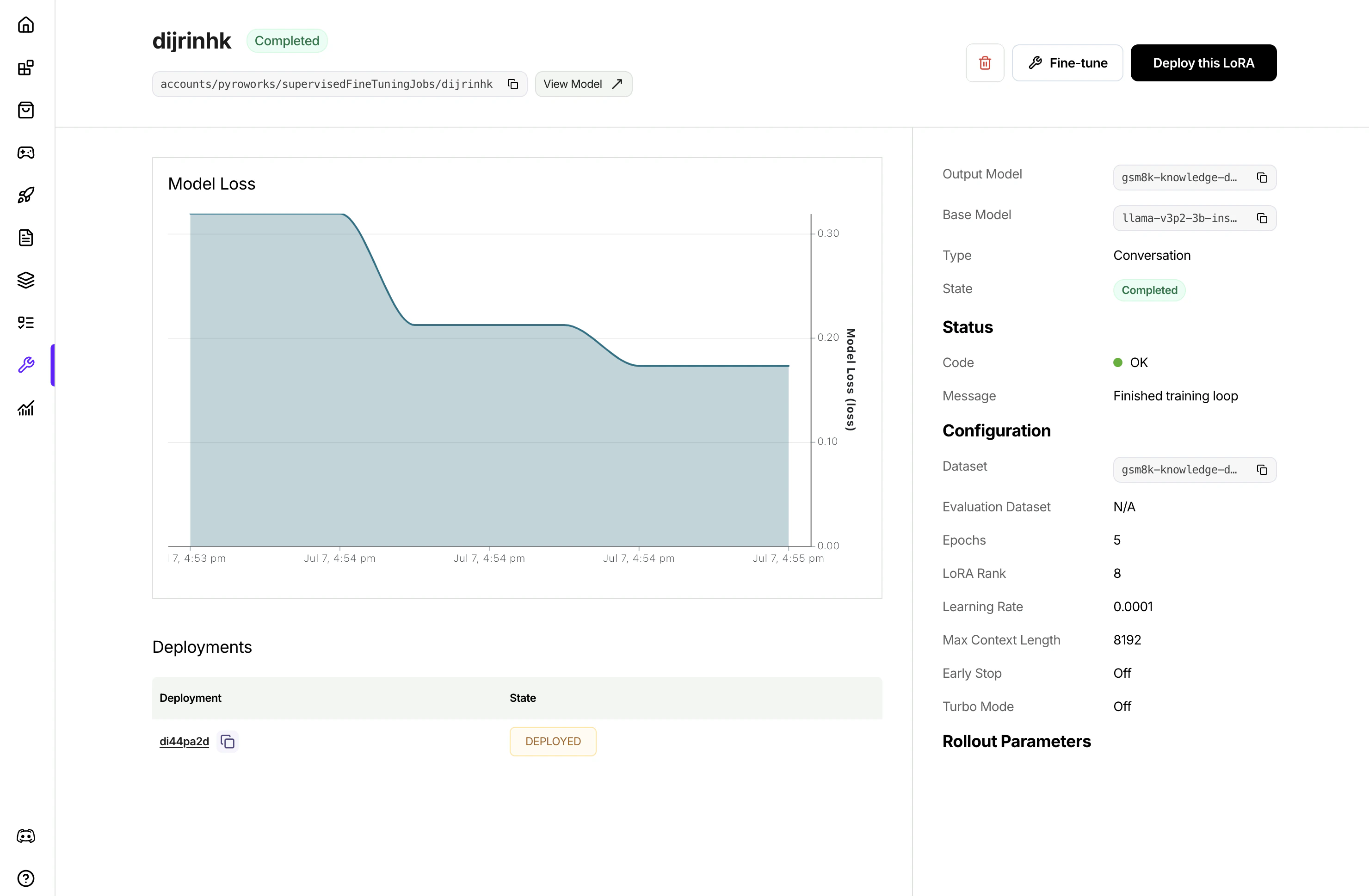
UI .- UI
- firectl
Simply navigate to the 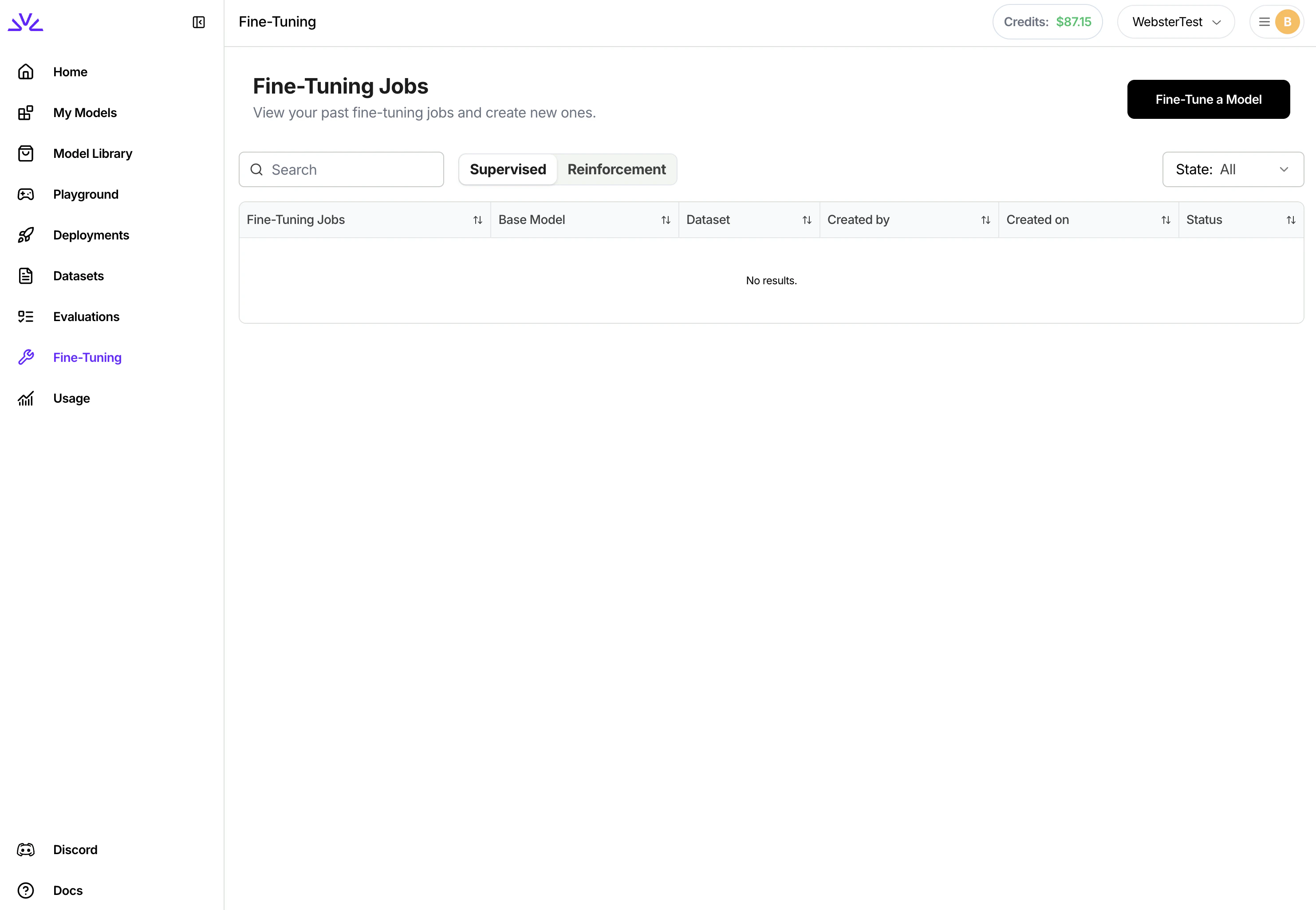
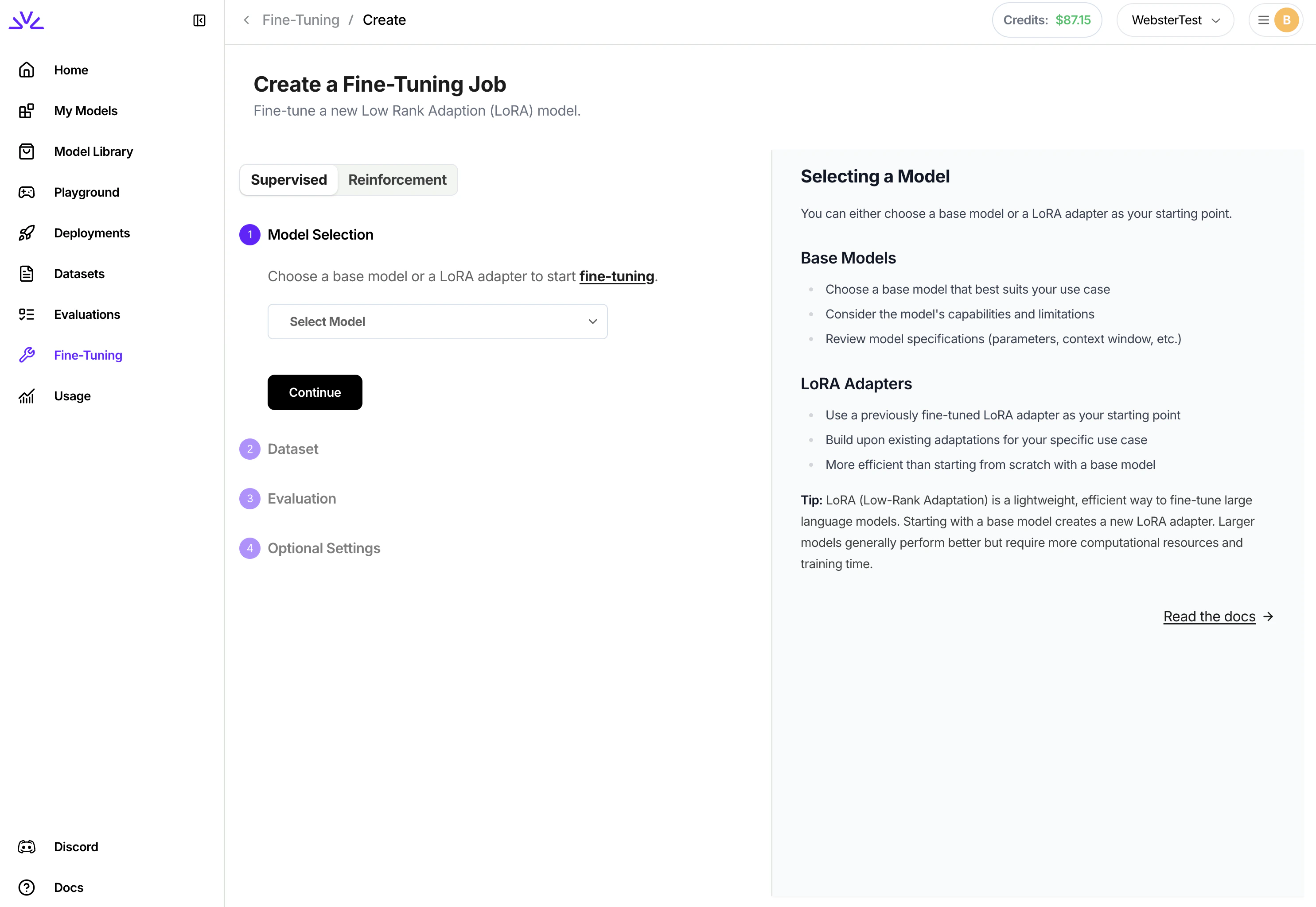
Fine-Tuning tab, click Fine-Tune a Model and follow the wizard from there. You can even pick a LoRA model to start the fine-tuning for continued training.UI, once the job is created, it will show in the list of jobs. Clicking to view the job details to monitor the job progress.firectl, you can monitor the progress of the tuning job by runningDeploying a fine-tuned model
After fine-tuning completes, deploy your model to make it available for inference:Additional SFT job settings
Additional tuning settings are available when starting a fine-tuning job. All of the below settings are optional and will have reasonable defaults if not specified. For settings that affect tuning quality likeepochs and learning rate, we recommend using default settings and only changing hyperparameters if results are not as desired.
Evaluation
Evaluation
By default, the fine-tuning job will run evaluation by running the fine-tuned model against an evaluation set that’s created by automatically carving out a portion of your training set. You have the option to explicitly specify a separate evaluation dataset to use instead of carving out training data.
evaluation_dataset: The ID of a separate dataset to use for evaluation. Must be pre-uploaded via firectlMax Context Length
Max Context Length
Depending on the size of the model, the default context size will be different. For most models, the default context size is >= 32768. Training examples will be cut-off at 32768 tokens. Usually you do not need to set the max context length unless out of memory error is encountered with higher lora rank and large max context length.
Batch Size
Batch Size
Batch size is the number of tokens packed into one forward step during training. One batch could consist of multiple training samples. We do sequence packing on the training samples, and batch size controls how many total tokens will be packed into each batch.
Epochs
Epochs
Epochs are the number of passes over the training data. Our default value is 1. If the model does not follow the training data as much as expected, increase the number of epochs by 1 or 2. Non-integer values are supported.Note: we set a max value of 3 million dataset examples × epochs
Learning rate
Learning rate
Learning rate controls how fast the model updates from data. We generally do not recommend changing learning rate. The default value is automatically based on your selected model.
Learning rate warmup steps
Learning rate warmup steps
Learning rate warmup steps controls the number of training steps during which the learning rate will be linearly ramped up to the set learning rate.
Gradient accumlation steps
Gradient accumlation steps
Gradient accumulation steps controls the number of forward steps and backward steps to take (gradients are accumulated) before optimizer.step() is taken. Gradient accumulation steps > 1 increases effective batch size.
LoRA Rank
LoRA Rank
LoRA rank refers to the number of parameters that will be tuned in your LoRA add-on. Higher LoRA rank increases the amount of information that can be captured while tuning. LoRA rank must be a power of 2 up to 32. Our default value is 8.
Training progress and monitoring
Training progress and monitoring
The fine-tuning service integrates with Weights & Biases to provide observability into the tuning process. To use this feature, you must have a Weights & Biases account and have provisioned an API key.
Model ID
Model ID
By default, the fine-tuning job will generate a random unique ID for the model. This ID is used to refer to the model at inference time. You can optionally specify a custom ID, within ID constraints.
Job ID
Job ID
By default, the fine-tuning job will generate a random unique ID for the fine-tuning job. You can optionally choose a custom ID.
Appendix
Python SDKreferencesRestful APIreferencesfirectlreferences- Complete Python SDK workflow example for a code-only implementation