
Supported models
Where each column is used:
- Model: the name shown in the dashboard model picker. You select it; you never type an ID.
- Served model ID: the ID in the response
modelfield, such asclaude-opus-5-5. Your application still sends a router slug such asfirerouter/claude-opus-5-5.firectluses the served ID asroutes[].firerouter_model_id. You do not type it in the dashboard. - Bedrock model ID: the AWS identifier. Copy it exactly from AWS. Paste it into each route’s Model ID field, or set
routes[].bedrock.model_id. Any geo/global profile or ARN that AWS lists for the model also works, as long as your region can invoke it. - Region: the AWS source region. In Fireworks, select it in each route’s Region field, or set
routes[].bedrock.aws_region. The supported regions areus-east-1,us-east-2,us-west-1, andus-west-2.
Prepare AWS
Do this once, regardless of which setup path you use.- In the AWS account that will pay for inference, request or verify access to each model.
- For Anthropic models, complete the one-time use-case form and Marketplace agreement if AWS requires them.
- For restricted models, complete any additional AWS/provider approval before continuing.
- Confirm that the API key can invoke the selected model or inference profile.
- Generate the key: Amazon Bedrock console → API keys → copy the key. See Generate an Amazon Bedrock API key.
Fireworks accepts a Bedrock bearer API key, not an IAM role or SigV4 credentials. Short-term keys are valid only in the Region where they were generated and for at most 12 hours, and Fireworks does not refresh them. Use a long-term key.
Connect in the dashboard
1
Connect the key
Open Settings → Provider Keys. On the Amazon Bedrock row, click Connect, then paste your Bedrock key into API key and click Continue.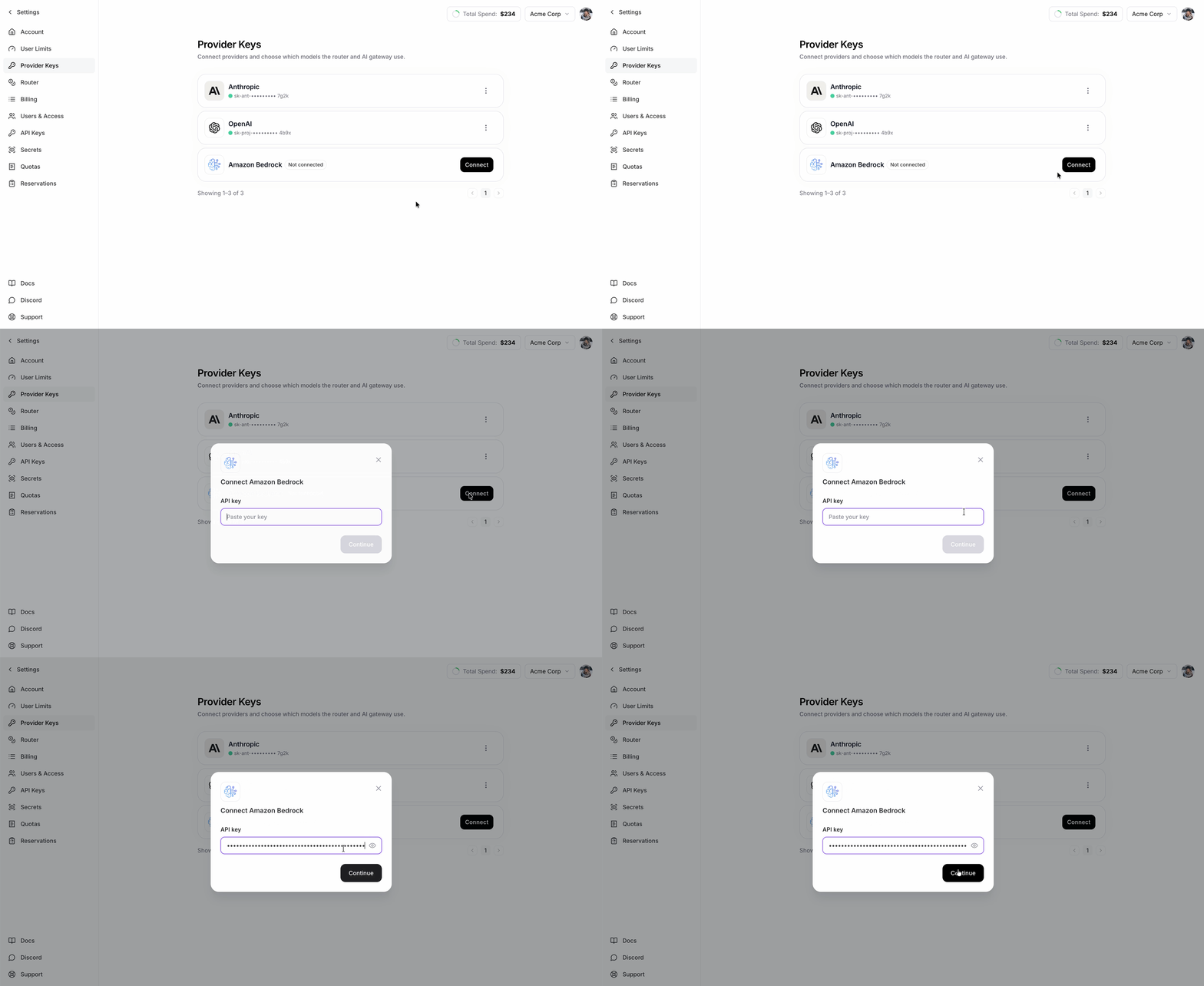
2
Fill in the model routes
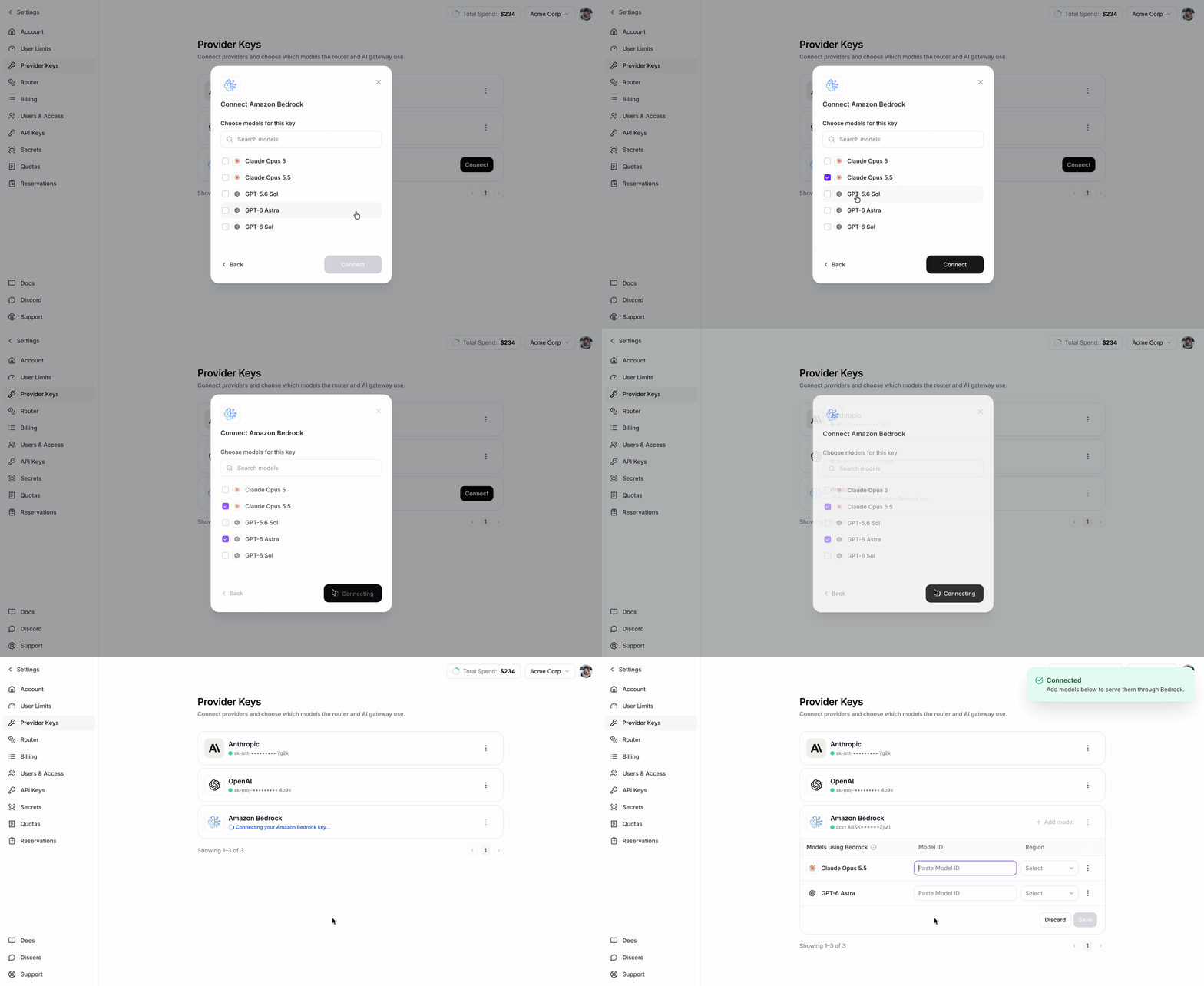
Connecting stores the key but does not route any traffic yet. Once the card is connected, the models you picked appear as empty rows that you must complete.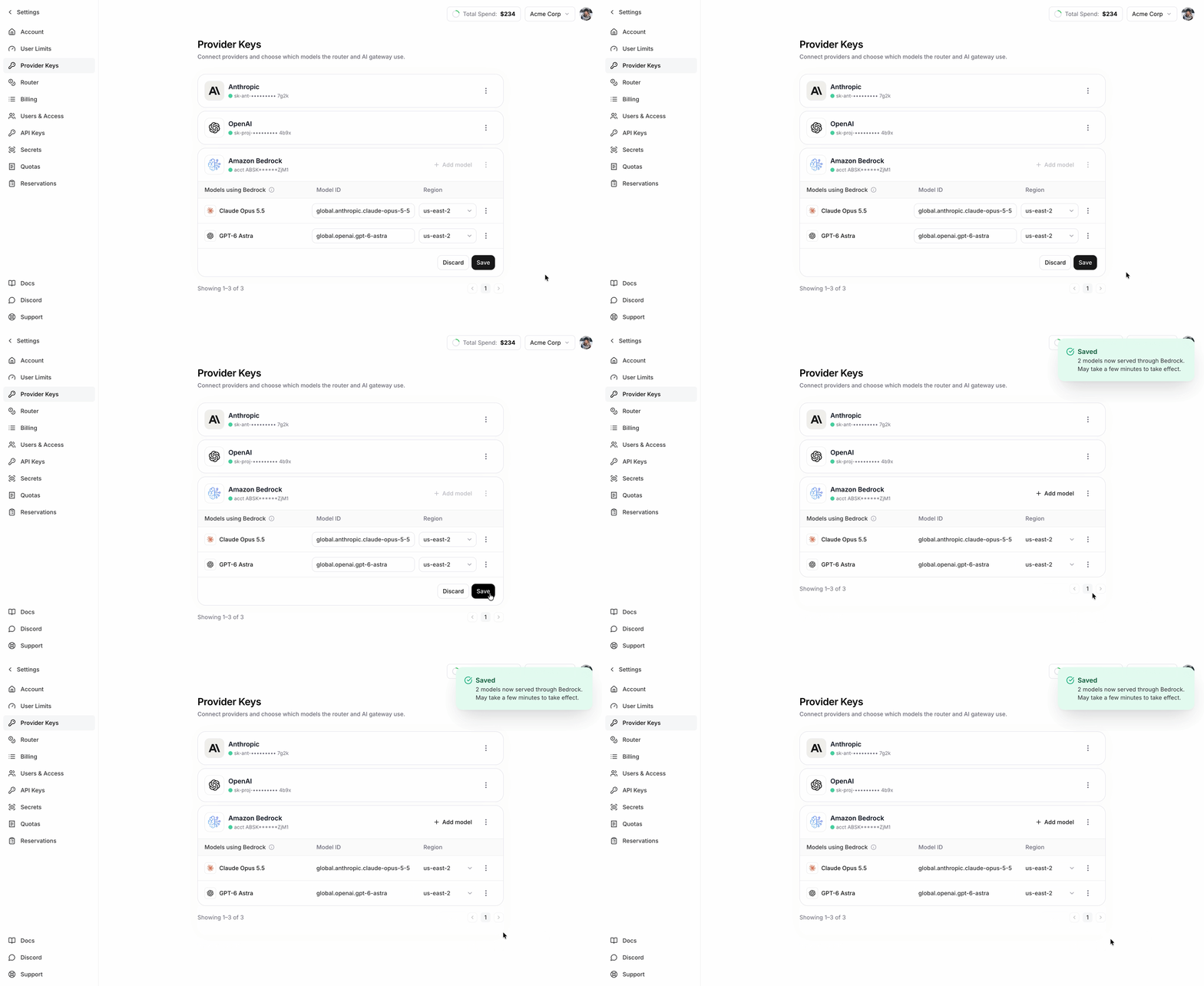
- For each row under Models using Bedrock, paste the AWS Model ID and select a Region.
- Click Save. Save stays disabled until every row has both values.
Change model routes later
Use Add model or the trash icon on a row to add or remove models. Use Edit models to change the Model ID or Region of existing rows. Then click Save. Use Update Key to replace the key value without changing the routes. This is the Replace action described in Provider Keys. Use Remove to delete the Bedrock key and all of its routes.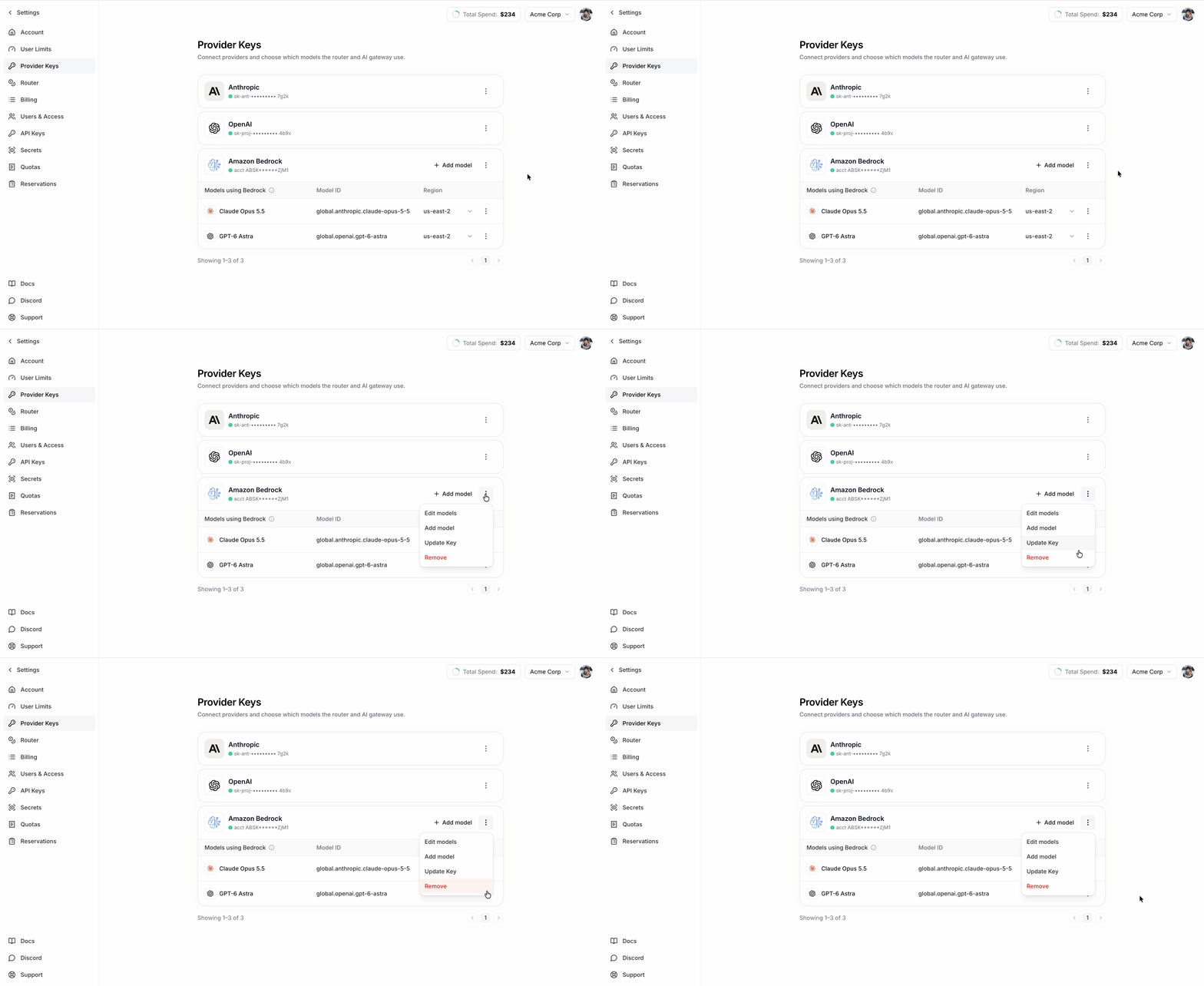
Manage with firectl
Upload the key
Save the bearer key to a local file, then upload it with--from-file. This keeps the key out of your shell history and process list. See Manage keys with firectl.
KEY_ID, then delete the local file. upload only stores the key; it does not route traffic.
Write the routes file
Createroutes.json. Each entry maps one FireRouter model to one Bedrock region and model ID. The file holds only model and region values, not the key.
- Use only the served model IDs in Supported models.
- Each model appears once and maps to one
(aws_region, model_id)target. - Copy
model_idexactly from AWS; geo/global prefixes and ARNs are significant.
Bind the key and routes
- Always pass the complete route file. Every bind replaces the whole route set; omitted routes are deleted.
- Confirm removed routes. If a bind removes routes,
firectlasks for confirmation. Pass--yesto skip the prompt.
CONNECTED with empty routes serves no Bedrock traffic. Before the first bind, get returns NOT_FOUND.
Troubleshooting
- Access denied / unauthorized: check model access, Marketplace or provider approval, key permissions, and key expiration in the same AWS account. Expiring or revoking the key in AWS does not change the Fireworks state. Upload and bind a replacement.
- Model not found: copy the exact model or profile ID from AWS. Never derive it from the served model ID.
- Region unavailable: confirm the region can invoke that exact inference profile.
- Save button stays disabled (dashboard): a row is missing its Model ID or Region.
- A route disappeared (
firectl): every bind replaces the whole route set. Include all routes you want to keep. - Connected but traffic does not reach Bedrock: confirm the route list is not empty and that requests use a route containing one of the configured served model IDs.