
fireconnect claude demo sends the same code-generation prompt to two models through your current FireConnect Claude profile. It shows both runs together so you can compare speed, estimated cost, and output.
Each model runs in a separate temporary working directory. The demo does not modify ~/.claude/settings.json.
Compare the results
- Live terminal race: Watch both models stream code with token counts and wall-clock timers.
- Browser comparison: Run both generated apps side by side and compare measured speed and estimated cost.
- Saved output: Find
compare.html,result.json, generated apps, and logs in./fireconnect-demo/.
Compare the generated apps
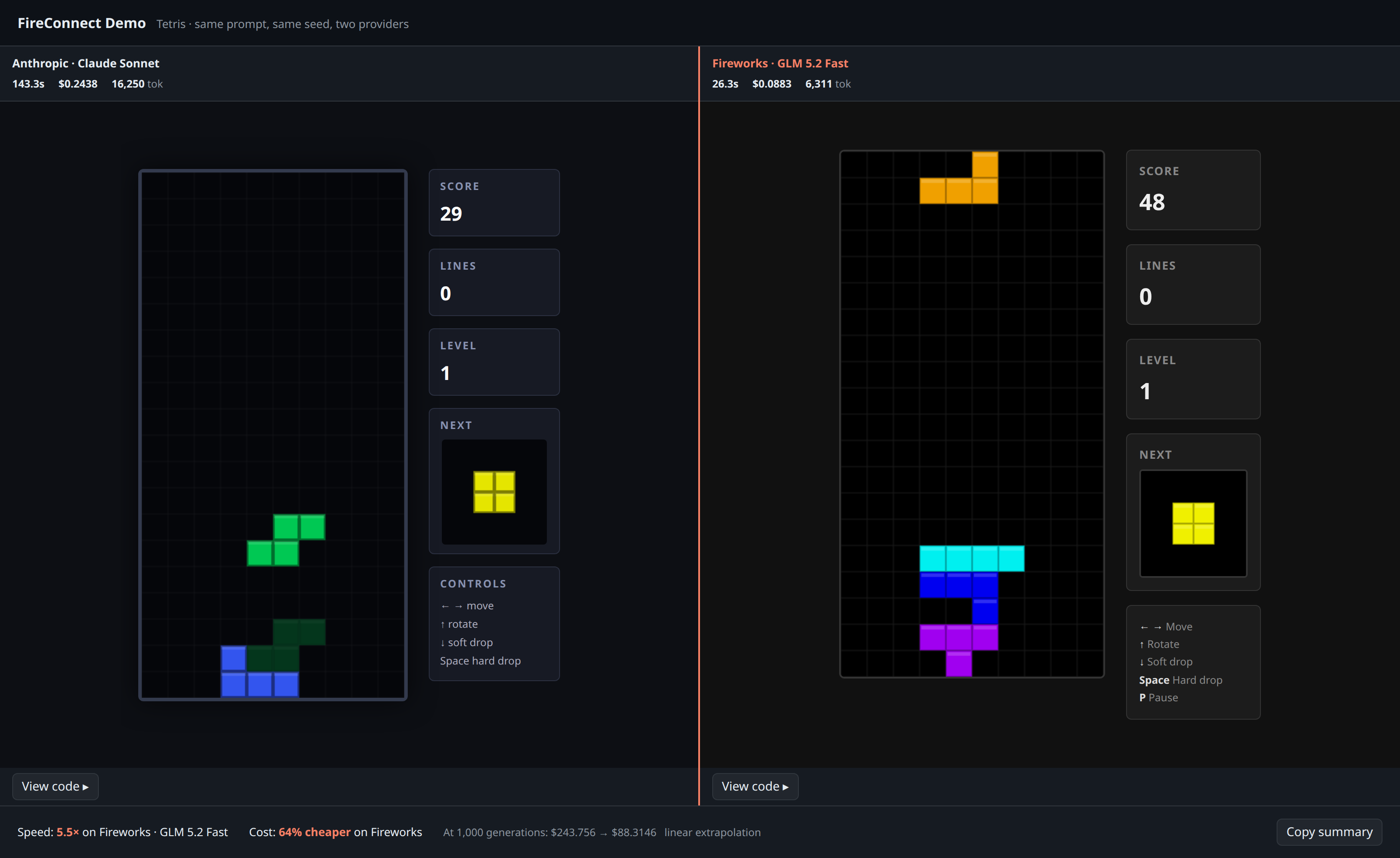
Browser comparison from a real FireConnect demo run: two Tetris apps with measured speed and estimated cost
Watch both models run
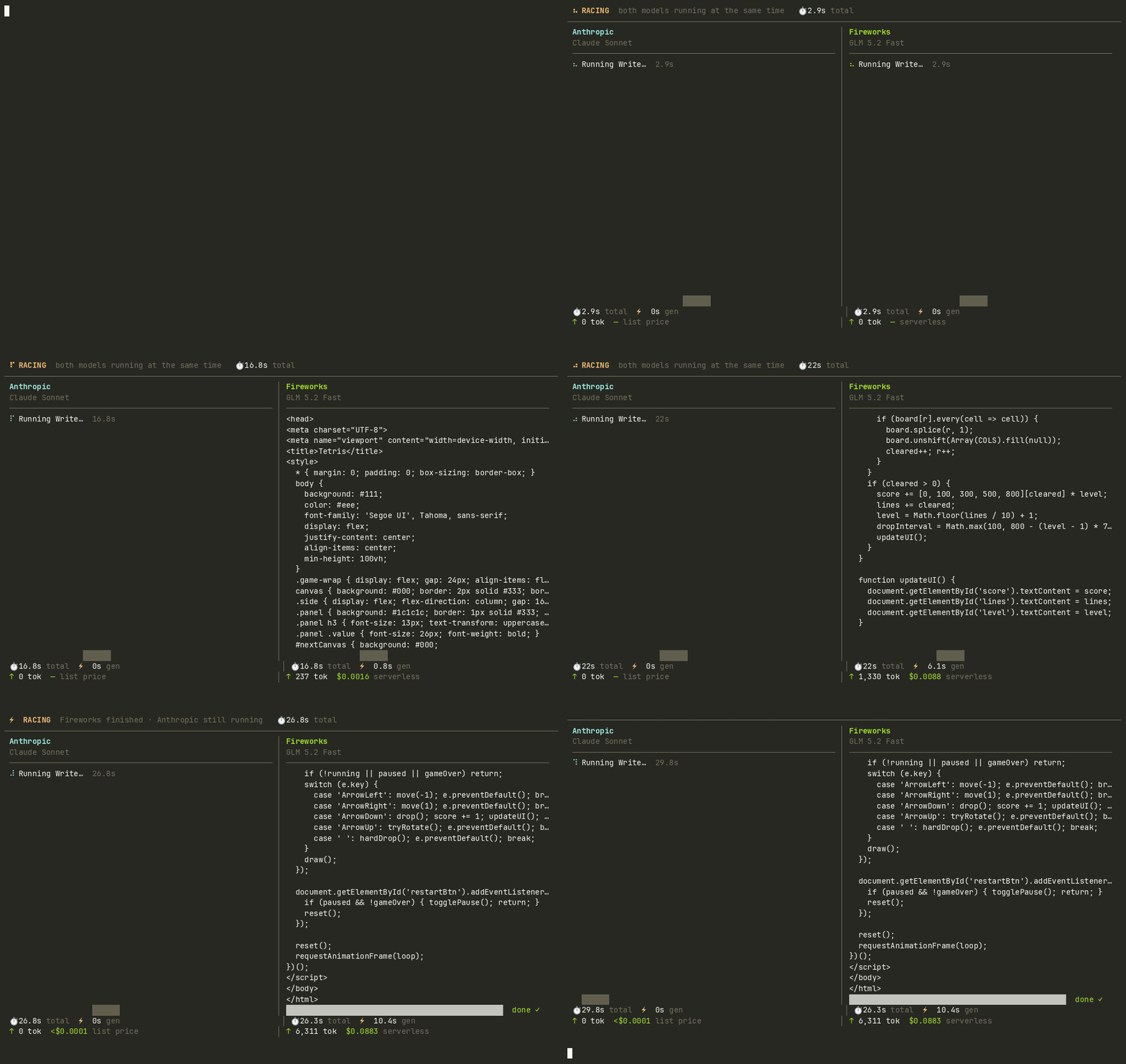
Real FireConnect demo race: GLM 5.2 Fast finishes while Claude Sonnet is still running
Requirements
- FireConnect installed
- Claude Code available as
claudeon yourPATH - Claude Code connected with
fireconnect claude
Run the demo
Choose a prompt
tetris, snake, and clock. Tetris is the default. Use --prompt for custom text or --prompt-file to read a task from a file.
Choose models
opus on the left and glm-fast-latest on the right. Here, opus is a Claude Code alias, not a Fireworks model ID. You can use any model or Claude alias available in the connected profile.
Automate a race
Clean up
demo clean deletes an output directory only when it contains a demo marker such as result.json or compare.html. It leaves unrelated directories untouched.
How results are produced
- Each side runs
claude -pin a separate temporary directory with the same prompt and active FireConnect profile. Only the model changes. - Speed comes from the measured run. Estimated cost uses token counts and the published rate for each model.
- If a model fails, the comparison reports the failure instead of declaring a winner.
compare.htmlcontains both apps and works offline.