> ## Documentation Index
> Fetch the complete documentation index at: https://docs.fireworks.ai/llms.txt
> Use this file to discover all available pages before exploring further.
# Supervised Fine-Tuning (SFT) with LoRA on Fireworks AI
Supervised Fine-Tuning (SFT) is critical for adapting general-purpose Large Language Models (LLMs) to domain-specific tasks, significantly improving performance in real-world applications. Fireworks AI facilitates easy and scalable SFT through its intuitive APIs and support for Low-Rank Adaptation (LoRA), allowing efficient fine-tuning without full parameter updates.
## Understanding LoRA
LoRA significantly reduces the computational and memory cost of fine-tuning large models by updating the LLM parameters in a low‑rank structure, making it particularly suitable for large models like LLaMA or DeepSeek. Fireworks AI supports LoRA tuning, allowing up to 100 LoRA adaptations to run simultaneously on a dedicated deployment without extra cost.
## List of Supported Models
We currently support fine-tuning Llama 3 models, Qwen 2/2.5 models, Qwen 3 non-MoE models, DeepSeek V3/R1 models, Gemma 3/4 models and Phi 3/4 models; as well as any custom model with these supported architectures.
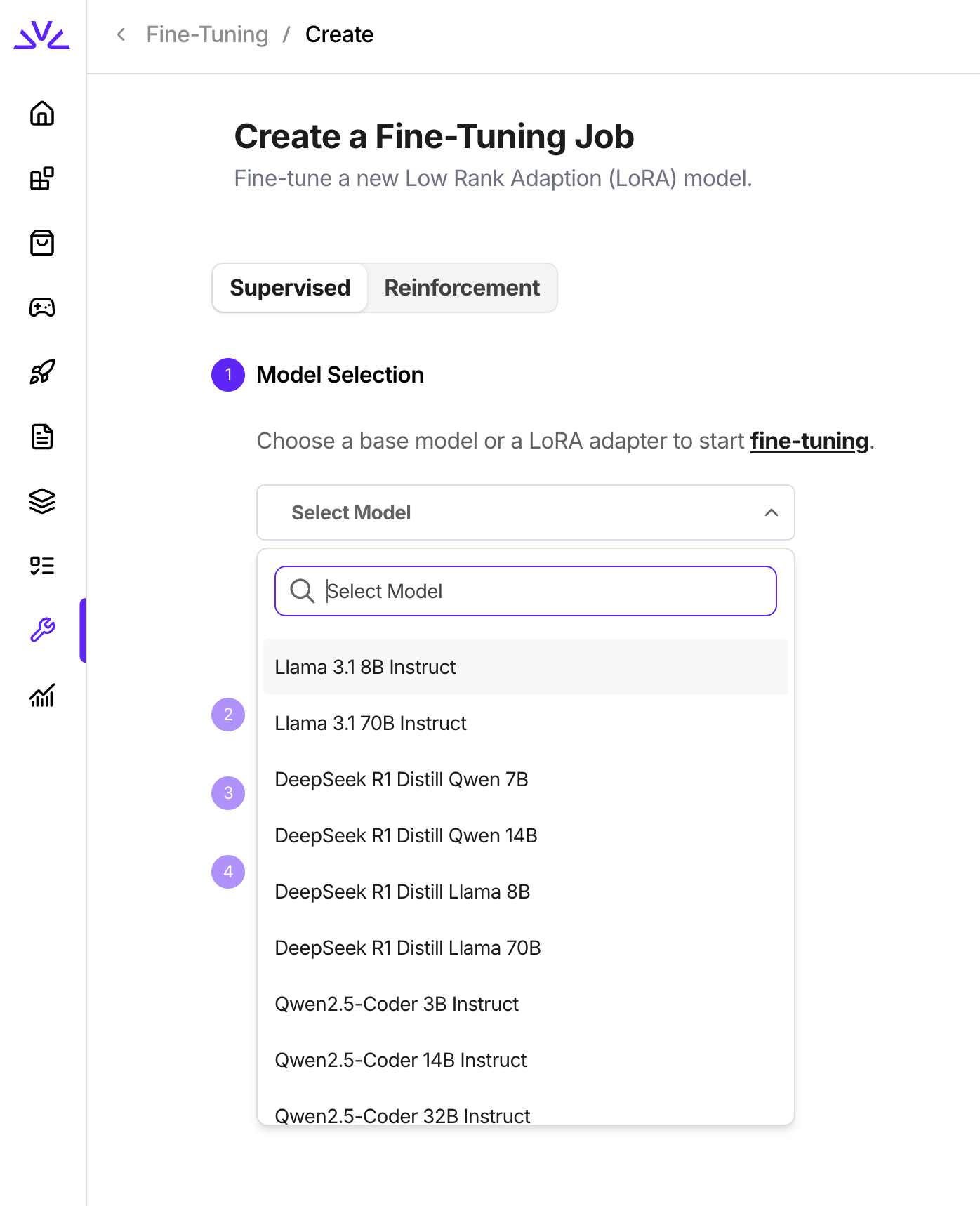
When you create a supervised fine tuning job in UI following the tutorial below, the list of models in the dropdown are all supported. You will notice that the LoRA models for those supported architecures are also available in the dropdown because we also support continue fine-tuning from existing LoRA models.
 ## Step-by-Step Guide to Fine-Tuning with Fireworks AI
### 1. Preparing the Dataset
Datasets must adhere strictly to the JSONL format, where each line represents a complete JSON-formatted training example.
**Minimum Requirements:**
* **Minimum examples needed:** 3
* **Maximum examples:** Up to 3 million examples per dataset
* **File format:** JSONL (each line is a valid JSON object)
* **Message Schema:** Each training sample must include a `messages` array, where each message is an object with two fields:
* `role`: one of `system`, `user`, or `assistant`
* `content`: the message content, either a plain string **or** a list of OpenAI-style content parts such as `[{"type": "text", "text": "..."}]`. Both forms are accepted and can be mixed within the same dataset.
* **Sample weight:** Optional key `weight` at the root of the JSON object. It can be any floating point number (positive, negative, or 0) and is used as a loss multiplier for tokens in that sample. If used, this field must be present in all samples in the dataset.
Here’s an example conversation dataset (one training example):
```json theme={null}
{
"messages": [
{"role": "system", "content": "You are a helpful assistant."},
{"role": "user", "content": "What is the capital of France?"},
{"role": "assistant", "content": "Paris."}
]
}
```
You can also provide `content` as a list of OpenAI-style content parts (and mix it with the plain-string form):
```json theme={null}
{"messages": [{"role": "user", "content": [{"type": "text", "text": "What is the capital of France?"}]}, {"role": "assistant", "content": "Paris."}]}
```
Here’s an example conversation dataset with sample weights:
```json theme={null}
{
"messages": [
{"role": "system", "content": "You are a helpful assistant."},
{"role": "user", "content": "What is the capital of France?"},
{"role": "assistant", "content": "Paris."}
],
"weight": 0.5
}
```
We also support function calling dataset with a list of tools. An example would look like:
```json theme={null}
{
"tools": [
{
"type": "function",
"function": {
"name": "get_car_specs",
"description": "Fetches detailed specifications for a car based on the given trim ID.",
"parameters": {
"trimid": {
"description": "The trim ID of the car for which to retrieve specifications.",
"type": "int",
"default": ""
}
}
}
},
],
"messages": [
{
"role": "user",
"content": "What is the specs of the car with trim 121?"
},
{
"role": "assistant",
"tool_calls": [
{
"type": "function",
"function": {
"name": "get_car_specs",
"arguments": "{\"trimid\": 121}"
}
}
]
}
]
}
```
Save this dataset as jsonl file locally, for example `trader_poe_sample_data.jsonl`.
### 2. Uploading the Dataset to Fireworks AI
There are a couple ways to upload the dataset to Fireworks platform for fine tuning: `firectl`, `Restful API` , `builder SDK` or `UI`.
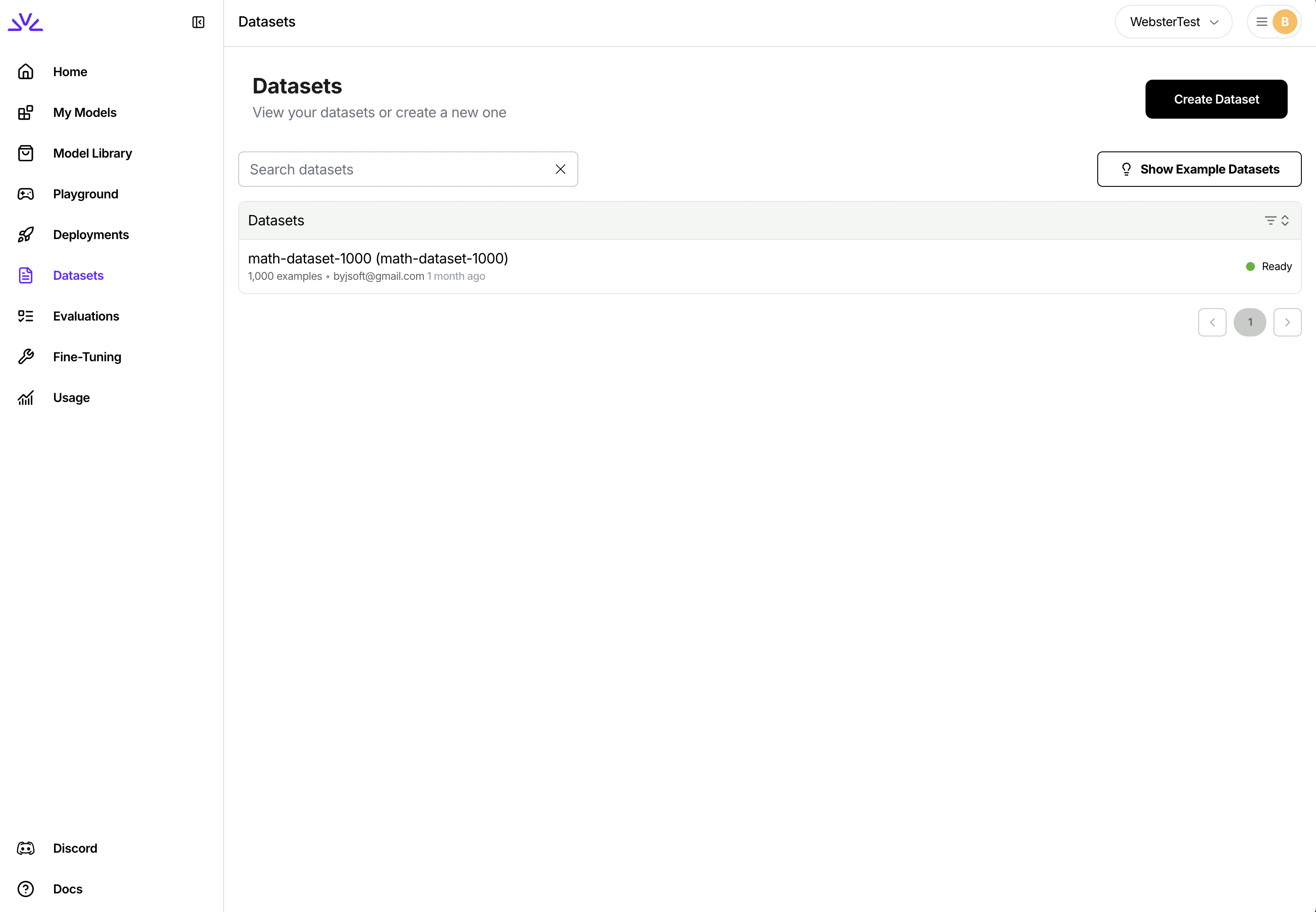
* Upload dataset through UI
You can simply navigate to the dataset tab, click `Create Dataset` and follow the wizard.
## Step-by-Step Guide to Fine-Tuning with Fireworks AI
### 1. Preparing the Dataset
Datasets must adhere strictly to the JSONL format, where each line represents a complete JSON-formatted training example.
**Minimum Requirements:**
* **Minimum examples needed:** 3
* **Maximum examples:** Up to 3 million examples per dataset
* **File format:** JSONL (each line is a valid JSON object)
* **Message Schema:** Each training sample must include a `messages` array, where each message is an object with two fields:
* `role`: one of `system`, `user`, or `assistant`
* `content`: the message content, either a plain string **or** a list of OpenAI-style content parts such as `[{"type": "text", "text": "..."}]`. Both forms are accepted and can be mixed within the same dataset.
* **Sample weight:** Optional key `weight` at the root of the JSON object. It can be any floating point number (positive, negative, or 0) and is used as a loss multiplier for tokens in that sample. If used, this field must be present in all samples in the dataset.
Here’s an example conversation dataset (one training example):
```json theme={null}
{
"messages": [
{"role": "system", "content": "You are a helpful assistant."},
{"role": "user", "content": "What is the capital of France?"},
{"role": "assistant", "content": "Paris."}
]
}
```
You can also provide `content` as a list of OpenAI-style content parts (and mix it with the plain-string form):
```json theme={null}
{"messages": [{"role": "user", "content": [{"type": "text", "text": "What is the capital of France?"}]}, {"role": "assistant", "content": "Paris."}]}
```
Here’s an example conversation dataset with sample weights:
```json theme={null}
{
"messages": [
{"role": "system", "content": "You are a helpful assistant."},
{"role": "user", "content": "What is the capital of France?"},
{"role": "assistant", "content": "Paris."}
],
"weight": 0.5
}
```
We also support function calling dataset with a list of tools. An example would look like:
```json theme={null}
{
"tools": [
{
"type": "function",
"function": {
"name": "get_car_specs",
"description": "Fetches detailed specifications for a car based on the given trim ID.",
"parameters": {
"trimid": {
"description": "The trim ID of the car for which to retrieve specifications.",
"type": "int",
"default": ""
}
}
}
},
],
"messages": [
{
"role": "user",
"content": "What is the specs of the car with trim 121?"
},
{
"role": "assistant",
"tool_calls": [
{
"type": "function",
"function": {
"name": "get_car_specs",
"arguments": "{\"trimid\": 121}"
}
}
]
}
]
}
```
Save this dataset as jsonl file locally, for example `trader_poe_sample_data.jsonl`.
### 2. Uploading the Dataset to Fireworks AI
There are a couple ways to upload the dataset to Fireworks platform for fine tuning: `firectl`, `Restful API` , `builder SDK` or `UI`.
* Upload dataset through UI
You can simply navigate to the dataset tab, click `Create Dataset` and follow the wizard.
 * Upload dataset using `firectl`
```bash theme={null}
firectl dataset create /path/to/jsonl/file
```
* Upload dataset using `Restful API`
You need to make two separate HTTP requests. One for creating the dataset entry and one for uploading the dataset. Full reference here: [Create dataset](/api-reference/create-dataset). Note that the `exampleCount` parameter needs to be provided by the client.
```javascript theme={null}
// Create Dataset Entry
const createDatasetPayload = {
datasetId: "trader-poe-sample-data",
dataset: { userUploaded: {} }
// Additional params such as exampleCount
};
const urlCreateDataset = `${BASE_URL}/datasets`;
const response = await fetch(urlCreateDataset, {
method: "POST",
headers: HEADERS_WITH_CONTENT_TYPE,
body: JSON.stringify(createDatasetPayload)
});
```
```javascript theme={null}
// Upload JSONL file
const urlUpload = `${BASE_URL}/datasets/${DATASET_ID}:upload`;
const files = new FormData();
files.append("file", localFileInput.files[0]);
const uploadResponse = await fetch(urlUpload, {
method: "POST",
headers: HEADERS,
body: files
});
```
While all of the above approaches should work, `UI` is more suitable for smaller datasets `< 500MB` while `firectl` might work better for bigger datasets.
### 3. Creating a Fine-Tuning Job
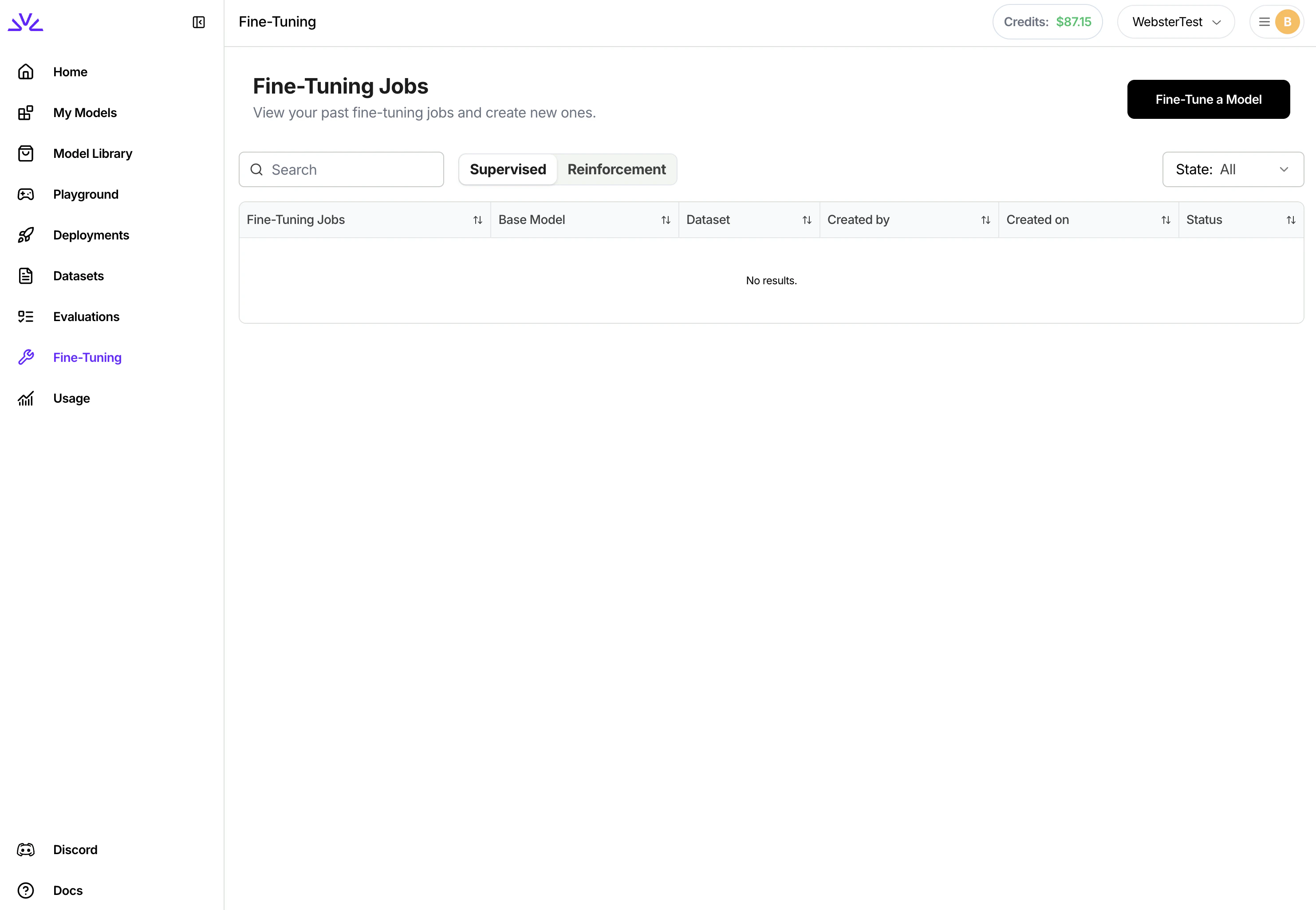
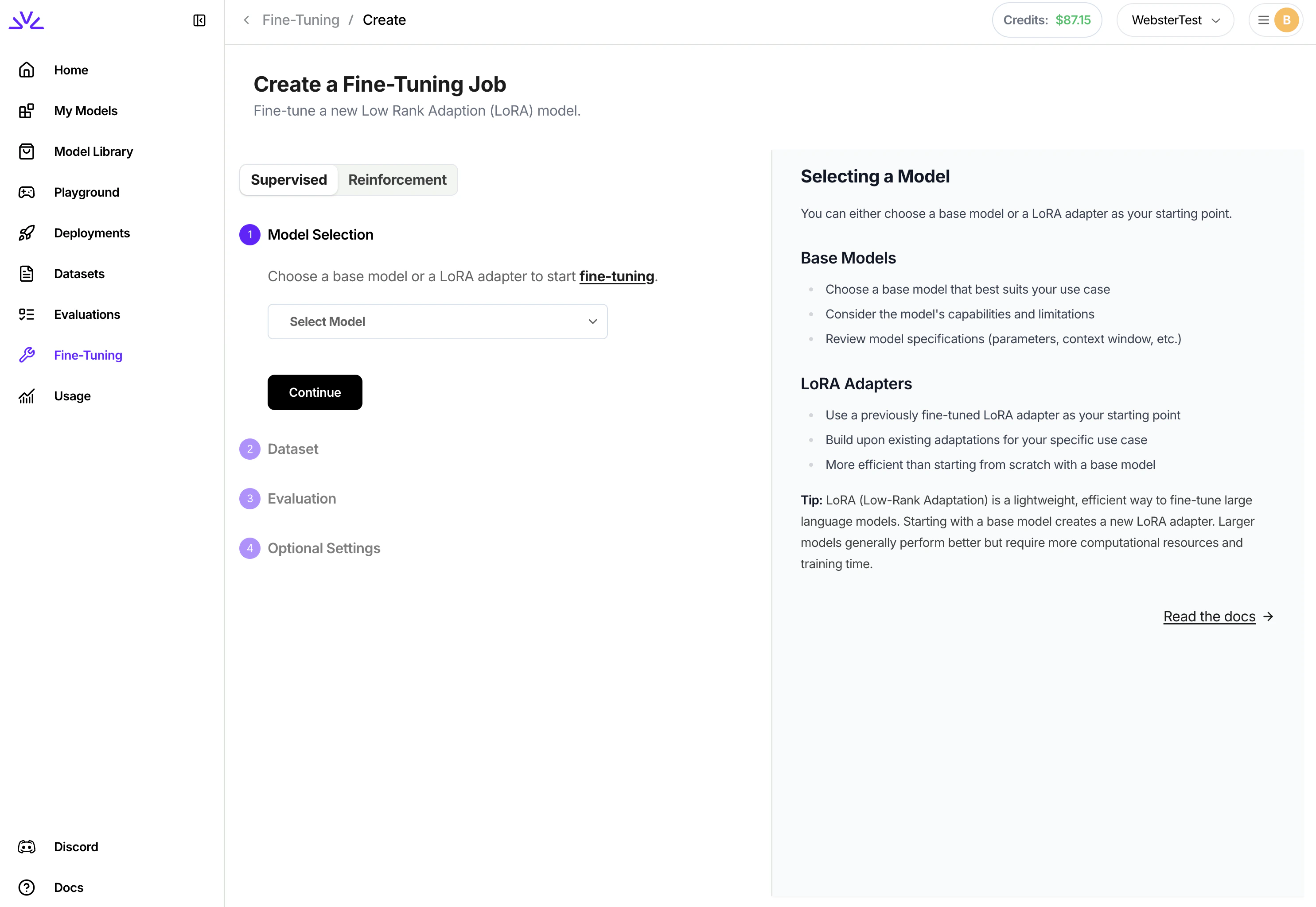
Similarly, there are a couple different approaches for creating the supervised fine tuning job. We highly recommend creating supervised fine tuning jobs via `UI` . To do that, simply navigate to the `Fine-Tuning` tab, click `Fine-Tune a Model` and follow the wizard from there.
* Upload dataset using `firectl`
```bash theme={null}
firectl dataset create /path/to/jsonl/file
```
* Upload dataset using `Restful API`
You need to make two separate HTTP requests. One for creating the dataset entry and one for uploading the dataset. Full reference here: [Create dataset](/api-reference/create-dataset). Note that the `exampleCount` parameter needs to be provided by the client.
```javascript theme={null}
// Create Dataset Entry
const createDatasetPayload = {
datasetId: "trader-poe-sample-data",
dataset: { userUploaded: {} }
// Additional params such as exampleCount
};
const urlCreateDataset = `${BASE_URL}/datasets`;
const response = await fetch(urlCreateDataset, {
method: "POST",
headers: HEADERS_WITH_CONTENT_TYPE,
body: JSON.stringify(createDatasetPayload)
});
```
```javascript theme={null}
// Upload JSONL file
const urlUpload = `${BASE_URL}/datasets/${DATASET_ID}:upload`;
const files = new FormData();
files.append("file", localFileInput.files[0]);
const uploadResponse = await fetch(urlUpload, {
method: "POST",
headers: HEADERS,
body: files
});
```
While all of the above approaches should work, `UI` is more suitable for smaller datasets `< 500MB` while `firectl` might work better for bigger datasets.
### 3. Creating a Fine-Tuning Job
Similarly, there are a couple different approaches for creating the supervised fine tuning job. We highly recommend creating supervised fine tuning jobs via `UI` . To do that, simply navigate to the `Fine-Tuning` tab, click `Fine-Tune a Model` and follow the wizard from there.
 ### 4. Monitoring and Managing Fine-Tuning Jobs
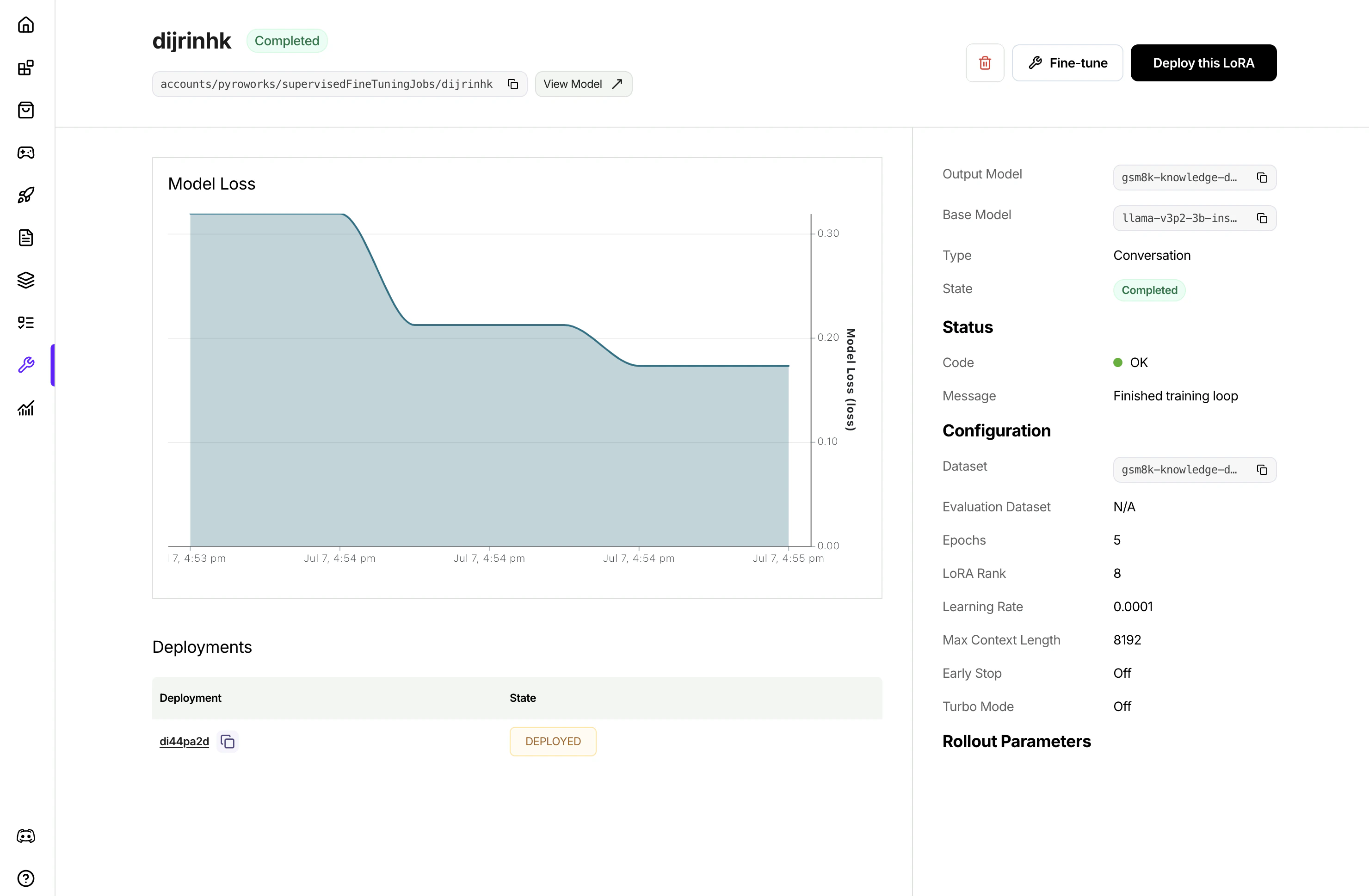
Once the job is created, it will show in the list of jobs. Clicking to view the job details
### 4. Monitoring and Managing Fine-Tuning Jobs
Once the job is created, it will show in the list of jobs. Clicking to view the job details
 ### 5. Deploying the Fine-Tuned Model
After fine-tuning is complete, you have three options for deploying the model.
* **Live-merge Deployment**: Create a deployment by merging the LoRA weights into the base model directly, optimized for latency and speed. This is the recommended approach for most use cases.
* **Multi-LoRA Deployment:** Create a deployment with addons enabled, then deploy multiple LoRA models on top as addons. You can deploy 100s of LoRA models as addons onto a single deployment. Learn more about it here: [multi-lora deployment](https://fireworks.ai/blog/multi-lora)
For guide on how to create deployment (dedicated or live-merge deployment), please follow the guide here: [creating deployment](/guides/ondemand-deployments).
For guide on how to deploy a LoRA addon to an existing deployment, you can simply click the `Deploy this LoRA` button in the supervised fine tuning job details page or LoRA model details page, and follow the wizard.
### 6. Best Practices and Considerations
* Validate your dataset thoroughly before uploading.
* Use a higher `loraRank` for larger model capacity (e.g., 8 for complex tasks). If loraRank is higher, consider using smaller learning rate too.
* Monitor job health and logs for errors.
* We generally recommend using `earlyStop = False` for training
* Use descriptive names for dataset IDs and models for clarity.
## Appendix
`Python builder SDK` [references](/tools-sdks/python-sdk)
`Restful API`[ references](/api-reference/introduction)
`firectl` [references](/tools-sdks/firectl/firectl)
### 5. Deploying the Fine-Tuned Model
After fine-tuning is complete, you have three options for deploying the model.
* **Live-merge Deployment**: Create a deployment by merging the LoRA weights into the base model directly, optimized for latency and speed. This is the recommended approach for most use cases.
* **Multi-LoRA Deployment:** Create a deployment with addons enabled, then deploy multiple LoRA models on top as addons. You can deploy 100s of LoRA models as addons onto a single deployment. Learn more about it here: [multi-lora deployment](https://fireworks.ai/blog/multi-lora)
For guide on how to create deployment (dedicated or live-merge deployment), please follow the guide here: [creating deployment](/guides/ondemand-deployments).
For guide on how to deploy a LoRA addon to an existing deployment, you can simply click the `Deploy this LoRA` button in the supervised fine tuning job details page or LoRA model details page, and follow the wizard.
### 6. Best Practices and Considerations
* Validate your dataset thoroughly before uploading.
* Use a higher `loraRank` for larger model capacity (e.g., 8 for complex tasks). If loraRank is higher, consider using smaller learning rate too.
* Monitor job health and logs for errors.
* We generally recommend using `earlyStop = False` for training
* Use descriptive names for dataset IDs and models for clarity.
## Appendix
`Python builder SDK` [references](/tools-sdks/python-sdk)
`Restful API`[ references](/api-reference/introduction)
`firectl` [references](/tools-sdks/firectl/firectl)